Have you ever applied for dozens of jobs but received very few interview calls?
The problem may not be your qualifications. It could be your resume.
ATS-Friendly Resume 2026
In 2026, most companies use Applicant Tracking Systems (ATS) to screen resumes before a recruiter ever sees them. If your resume is not ATS-friendly, it may get rejected automatically—even if you are a perfect fit for the role.
Whether you are a fresher looking for your first job or an experienced professional aiming for career growth, understanding how ATS works can significantly improve your chances of landing interviews.
In this guide, you’ll learn exactly how to create an ATS-friendly resume in 2026, avoid common mistakes, and increase your visibility to recruiters.
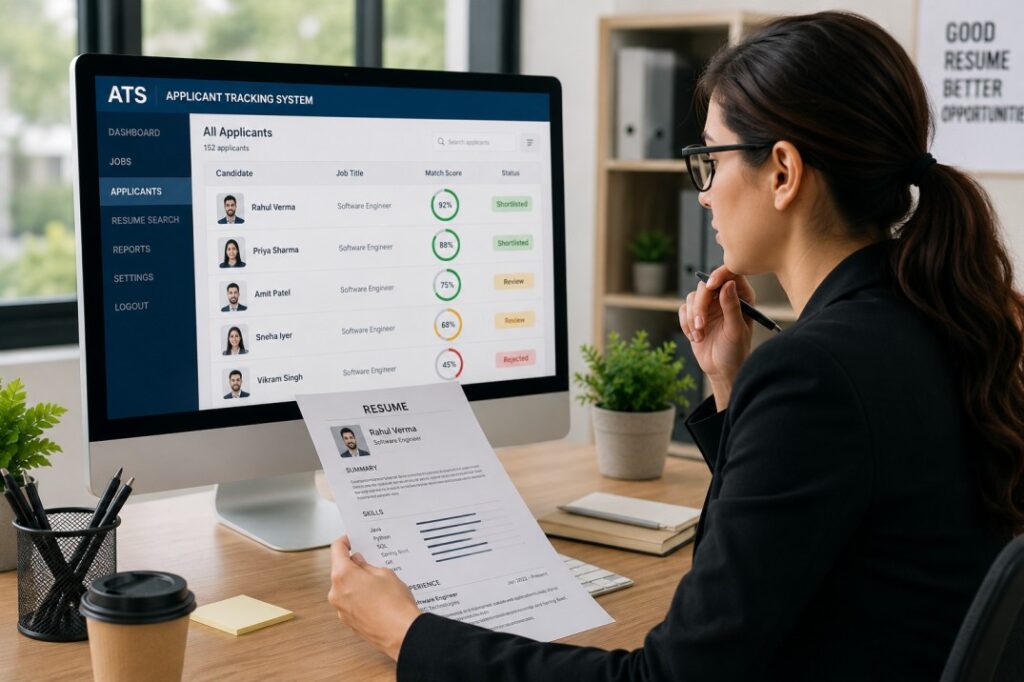
What Is an ATS-Friendly Resume 2026?
An ATS-friendly resume is a resume designed to be easily read and understood by Applicant Tracking Systems.
These systems help employers:
- Filter large numbers of applications
- Search for relevant skills and keywords
- Rank candidates based on job requirements
- Reduce manual screening efforts
Simply put, ATS software scans your resume and determines whether it matches the job description.
If your resume contains the right information in the right format, it is more likely to reach a human recruiter.
Top Career Tips for Freshers in 2026
Why ATS-Friendly Resumes Matter in 2026
Recruitment technology continues to evolve.
Many organizations now receive hundreds or even thousands of applications for a single position.
As a result:
- Most large companies use ATS software
- Many mid-sized businesses have adopted ATS tools
- Remote job applications face even more competition
A well-optimized ATS resume can:
✅ Increase recruiter visibility
✅ Improve keyword matching
✅ Boost interview opportunities
✅ Help you stand out in competitive job markets
Explore Freshers Jobs: Click here
How Does an Applicant Tracking System Work?
Before creating your resume, it helps to understand how ATS software evaluates candidates.
Step 1: Resume Parsing
The ATS extracts information such as:
- Name
- Contact details
- Skills
- Education
- Work experience
- Certifications
Step 2: Keyword Matching
The system compares your resume with the job description.
For example:
If a company is hiring a Java Developer and mentions:
- Java
- Spring Boot
- REST APIs
- SQL
Your resume should naturally include those skills if you possess them.
Step 3: Candidate Ranking
Candidates with stronger matches are typically ranked higher and reviewed first by recruiters.
Common Interview Questions and Answers
Step-by-Step Guide to Create an ATS-Friendly Resume 2026
Step 1: Use a Simple Resume Format
ATS software prefers clean formatting.
Choose:
- Reverse chronological format
- Standard fonts
- Clear headings
- Consistent spacing
Recommended fonts:
- Arial
- Calibri
- Verdana
- Times New Roman
Font size:
- Headings: 12–14 pt
- Body text: 10–12 pt
Avoid:
- Text boxes
- Tables for layout
- Graphics
- Icons
- Complex designs
Step 2: Include Essential Resume Sections
A professional ATS resume should include:
Contact Information
Include:
- Full Name
- Phone Number
- Professional Email
- LinkedIn Profile
- Location (City, State)
Example:
Rahul Sharma
Pune, Maharashtra
+91 XXXXX XXXXX
linkedin.com/in/rahulsharma
Professional Summary
Write a concise summary of your profile.
Example for Freshers:
“Computer Science graduate with strong knowledge of Java, SQL, and web development. Seeking an entry-level software engineering role to apply technical skills and contribute to innovative projects.”
Example for Experienced Professionals:
“Software Developer with 5+ years of experience in Java development, cloud technologies, and enterprise applications. Proven track record of delivering scalable solutions and improving system performance.”
Step 3: Use Relevant Keywords
Keywords are one of the most important ranking factors.
Read the job description carefully and identify:
- Skills
- Tools
- Certifications
- Technologies
- Industry terms
Example:
If the job description mentions:
- Python
- Machine Learning
- Data Analysis
- Power BI
Include these terms where applicable.
However, never add skills you do not actually possess.
Step 4: Highlight Skills Strategically
Create a dedicated skills section.
Example:
Technical Skills
- Java
- Spring Boot
- REST APIs
- SQL
- Git
- Docker
Soft Skills
- Communication
- Problem Solving
- Team Collaboration
- Time Management
This helps ATS systems quickly identify relevant competencies.
Step 5: Quantify Your Achievements
Recruiters love measurable results.
Instead of:
“Worked on website development.”
Write:
“Developed and optimized company website, improving page load speed by 35%.”
Instead of:
“Managed social media accounts.”
Write:
“Increased social media engagement by 42% within six months.”
Numbers add credibility and impact.
Step 6: Optimize Work Experience
Structure each role consistently.
Example:
Software Engineer
ABC Technologies
January 2023 – Present
- Developed REST APIs using Java and Spring Boot.
- Improved application performance by 25%.
- Collaborated with cross-functional teams to deliver projects on schedule.
- Participated in code reviews and quality assurance processes.
Step 7: Include Relevant Certifications
Certifications help strengthen your profile.
Examples:
- Google Data Analytics Certificate
- AWS Cloud Practitioner
- Microsoft Azure Fundamentals
- Oracle Java Certification
- Google Project Management Certificate
Step 8: Save in the Right Format
Most ATS systems support:
- DOCX
When applying, always check employer instructions.
If no format is specified:
PDF is generally the safest option for preserving formatting.
ATS-Friendly Resume Example Structure
- Contact Information
- Professional Summary
- Skills
- Work Experience
- Education
- Certifications
- Projects
- Achievements
This structure is easy for ATS software and recruiters to navigate.
Common Mistakes to Avoid
Many qualified candidates unknowingly hurt their chances.
Avoid these mistakes:
Using Fancy Templates
Beautiful designs often confuse ATS systems.
Keyword Stuffing
Repeating keywords excessively can make your resume look unnatural.
Using Images or Icons
Many ATS platforms cannot read graphics properly.
Missing Job-Specific Keywords
Generic resumes perform poorly.
Customize your resume for each application.
Using Unprofessional Email Addresses
Avoid:
Prefer:
Ignoring Proofreading
Spelling and grammar errors can create a negative impression.
Expert Tips
Tailor Every Resume
Do not send the same resume to every employer.
Customize it based on:
- Job title
- Required skills
- Industry
Mirror Job Description Language
If a company uses “Project Management” instead of “Project Coordination,” use the terminology that accurately reflects your experience.
Add Relevant Projects
Freshers should showcase:
- Academic projects
- Freelance work
- Open-source contributions
- Personal projects
Keep It Concise
Ideal resume length:
- Freshers: 1 page
- Experienced Professionals: 1–2 pages
Update Regularly
Review your resume every few months and add:
- New certifications
- New skills
- Recent achievements
ATS Resume Checklist
Before applying, verify:
- Professional email address
- ATS-friendly format
- Relevant keywords included
- No graphics or tables
- Clear section headings
- Quantified achievements
- Correct grammar and spelling
- Updated contact information
If all boxes are checked, your resume is ready for submission.
Join Career Rise Hub Community:
| Join Telegram Channel | Click Here |
| Follow Us On LinkedIn | Click Here |
| Follow Us On Instagram | Click Here |
Frequently Asked Questions (FAQ)
Is a PDF resume ATS-friendly?
Yes. Most modern ATS systems can read PDF files. However, always follow the employer’s application instructions.
What is the best resume format for ATS?
The reverse chronological format is widely considered the most ATS-friendly and recruiter-friendly format.
Should I customize my resume for every job?
Yes. Tailoring your resume improves keyword matching and increases your chances of being shortlisted.
How many keywords should I include?
Include relevant keywords naturally throughout your resume. Focus on quality rather than quantity.
Can ATS read graphics and icons?
Many ATS systems struggle with graphics, icons, and complex formatting. Use plain text whenever possible.
How long should a resume be in 2026?
Freshers should typically keep resumes to one page, while experienced professionals can use one to two pages.
Are resume templates ATS-friendly?
Some templates are ATS-friendly, but many modern graphic-heavy templates are not. Always prioritize readability and simplicity.
Does ATS automatically reject resumes?
ATS systems usually rank and filter resumes based on criteria. Recruiters often review the highest-ranked applications first.
Final Thoughts
Creating an ATS-friendly resume 2026 is no longer optional—it’s essential.
A strong resume combines the right keywords, clear formatting, measurable achievements, and relevant experience in a structure that both ATS software and recruiters can easily understand.
Remember, your resume is often your first impression. Even highly qualified candidates can miss opportunities if their resumes are not optimized properly.
Take the time to customize your resume, highlight your strengths, and align your skills with the job requirements.
A few small improvements today could significantly increase your interview opportunities tomorrow.
Start updating your resume now and give yourself the best chance of landing your next job.