LinkedIn Profile Optimization in 2026: If you’re actively searching for a job in 2026, having a strong LinkedIn profile is no longer optional—it’s essential.
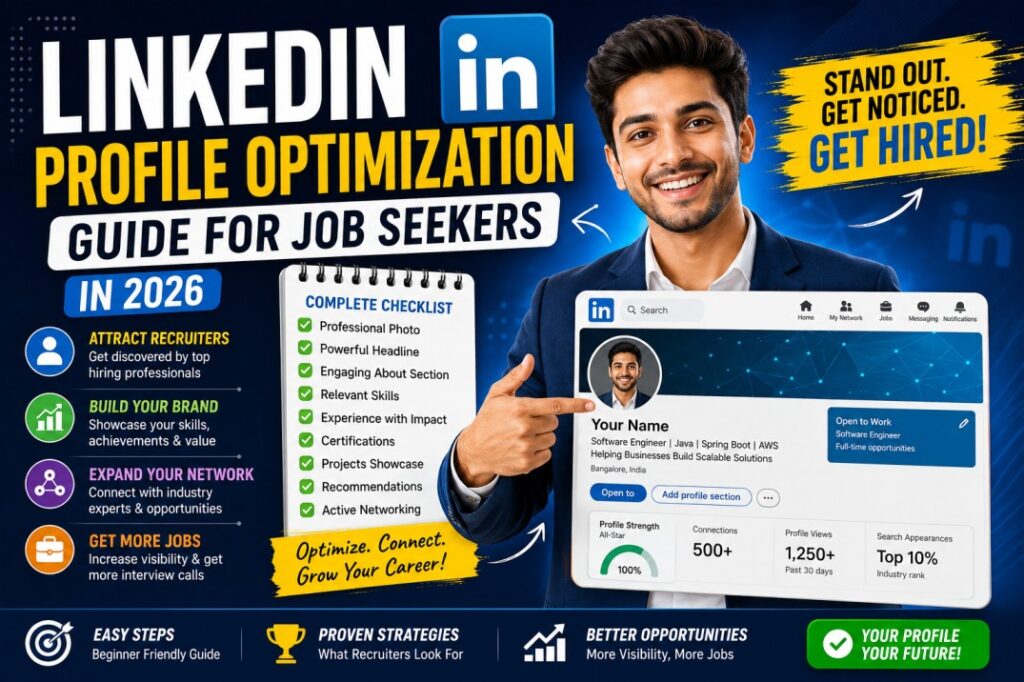
Recruiters, hiring managers, and even company executives use LinkedIn daily to discover talent. In many cases, your LinkedIn profile is viewed before your resume. A well-optimized profile can help you appear in recruiter searches, showcase your expertise, build professional credibility, and attract new career opportunities.
Unfortunately, many job seekers create a LinkedIn account and leave it incomplete. Missing profile sections, weak headlines, poor photos, and lack of activity can make even highly qualified candidates invisible to recruiters.
The good news is that optimizing your LinkedIn profile doesn’t require years of experience. Whether you’re a fresher, student, job seeker, or working professional, a few strategic improvements can dramatically increase your visibility.
In this guide, you’ll learn exactly how to optimize your LinkedIn profile in 2026 and stand out in a competitive job market.
Why LinkedIn Matters More Than Ever in 2026
Today’s hiring process is different from what it was a few years ago.
Recruiters increasingly use LinkedIn to:
- Search for qualified candidates
- Verify professional backgrounds
- Review skills and achievements
- Evaluate industry engagement
- Build talent pipelines
A strong LinkedIn profile can help you:
✅ Get discovered by recruiters
✅ Build a professional online presence
✅ Expand your network
✅ Showcase projects and achievements
✅ Access hidden job opportunities
✅ Strengthen your personal brand
Think of LinkedIn as your online career portfolio available 24/7.
What Makes a LinkedIn Profile Attractive to Recruiters?
Before optimizing your profile, it’s important to understand what recruiters look for.
Generally, recruiters evaluate:
- Professional photo
- Strong headline
- Relevant keywords
- Clear work experience
- Skills and certifications
- Professional activity
- Recommendations
- Career consistency
Profiles that appear complete and active tend to perform significantly better in recruiter searches.
Check Freshers Jobs: Click here
Step 1: Use a Professional Profile Photo
Your profile photo is one of the first things people notice.
LinkedIn profiles with professional photos generally receive more profile views and connection requests.
Best Practices
Choose a photo that:
- Is high quality
- Has good lighting
- Shows your face clearly
- Uses professional attire
- Has a clean background
Avoid
- Selfies
- Group photos
- Vacation pictures
- Heavy filters
- Low-resolution images
Example
A simple headshot in business casual attire against a neutral background often works best.
Remember: You don’t need a studio-quality photo. You simply need to look professional and approachable.
Step 2: Create a Powerful Headline
Most people make a common mistake.
Instead of writing:
“Student”
or
“Looking for Opportunities”
they should use their headline to showcase value.
Your LinkedIn headline is one of the most important SEO elements on your profile.
Weak Example
“Fresher Looking for Job”
Strong Example
“Computer Science Graduate | Java Developer | SQL | Spring Boot | Open to Software Engineering Opportunities”
Strong Example for Marketing Professionals
“Digital Marketing Specialist | SEO | Content Strategy | Google Analytics | Helping Brands Grow Online”
A good headline should include:
- Current role or target role
- Key skills
- Industry keywords
- Professional value
Step 3: Customize Your LinkedIn URL
By default, LinkedIn generates a long URL with random numbers.
Example:
linkedin.com/in/john-smith-98273645
Instead, customize it:
linkedin.com/in/johnsmith
Benefits include:
- Professional appearance
- Easier sharing
- Better personal branding
You can update this in your LinkedIn profile settings.
Step 4: Write an Engaging About Section
The About section is your opportunity to tell your professional story.
Many users leave it blank, which is a missed opportunity.
What to Include
Your About section should cover:
- Who you are
- Your expertise
- Key achievements
- Career goals
- Skills
- Value you bring
Example for Freshers
“I am a Computer Science graduate passionate about software development, problem-solving, and emerging technologies. During my academic journey, I completed projects involving Java, SQL, and web development. I enjoy learning new technologies and applying them to real-world challenges. I am currently seeking opportunities where I can contribute, grow, and continue building my technical expertise.”
Example for Experienced Professionals
“I am a Software Engineer with 5+ years of experience designing and developing scalable enterprise applications. My expertise includes Java, Spring Boot, cloud technologies, and API development. I enjoy solving complex business challenges through technology and continuously learning new tools to deliver innovative solutions.”
Pro Tip
Use keywords naturally throughout the About section to improve recruiter search visibility.
Step 5: Optimize Your Experience Section
Many professionals simply copy their job title and company name.
This is a mistake.
Treat each experience entry like a mini-resume.
Include
- Responsibilities
- Key achievements
- Measurable results
- Technologies used
Weak Example
“Worked as Software Developer.”
Strong Example
“Developed REST APIs using Java and Spring Boot, improving system performance by 25%. Collaborated with cross-functional teams to deliver enterprise solutions serving over 50,000 users.”
Recruiters love measurable impact.
Whenever possible, include:
- Percentages
- Revenue impact
- Productivity improvements
- Project outcomes
Step 6: Showcase Skills Strategically
LinkedIn allows you to add skills to your profile.
This section directly impacts recruiter searches.
Examples for IT Professionals
- Java
- Python
- SQL
- Spring Boot
- AWS
- REST APIs
Examples for Marketing Professionals
- SEO
- Content Marketing
- Google Analytics
- Social Media Marketing
- Email Marketing
Examples for Project Managers
- Agile
- Scrum
- Stakeholder Management
- Risk Management
- Project Planning
Aim to include skills that align with your target job roles.
Step 7: Add Certifications and Courses
Certifications demonstrate initiative and continuous learning.
Popular examples include:
Technology
- AWS Cloud Practitioner
- Microsoft Azure Fundamentals
- Google Data Analytics
- Oracle Java Certification
Business
- Google Project Management
- PMP
- Scrum Master Certification
Marketing
- Google Ads Certification
- HubSpot Content Marketing
- Google Analytics Certification
Certifications strengthen your credibility and improve profile completeness.
Step 8: Build a Strong Featured Section
The Featured section is one of LinkedIn’s most underutilized features.
Use it to highlight:
- Portfolio projects
- GitHub repositories
- Certifications
- Blog posts
- Case studies
- Presentations
- Published articles
This allows recruiters to see evidence of your work instead of just reading about it.
Step 9: Optimize Your Profile for LinkedIn SEO
Just like Google, LinkedIn has its own search algorithm.
Recruiters search for candidates using specific keywords. If your profile contains those keywords naturally, you’re more likely to appear in search results.
Where to Add Keywords
Include relevant keywords in:
- Headline
- About Section
- Experience Section
- Skills Section
- Certifications
- Project Descriptions
Example
If you’re targeting Software Developer roles, relevant keywords may include:
- Java Developer
- Spring Boot
- REST APIs
- SQL
- AWS
- Microservices
For Digital Marketing professionals:
- SEO
- Google Analytics
- Content Marketing
- Social Media Marketing
- PPC Advertising
Pro Tip
Review 10–15 job descriptions related to your target role and identify commonly used keywords.
Add only those skills and technologies you genuinely possess.
Step 10: Build a Strong Professional Network
LinkedIn is not just a digital resume.
It is a networking platform.
Many opportunities come through professional connections rather than job applications.
Who Should You Connect With?
- Recruiters
- Hiring Managers
- Industry Professionals
- Alumni
- Former Colleagues
- Team Leaders
- Mentors
Connection Request Example
“Hello Sarah, I came across your profile while exploring opportunities in software development. I admire your experience in the industry and would love to connect and learn from your insights.”
Avoid sending blank connection requests whenever possible.
Step 11: Turn on “Open to Work”
LinkedIn provides an “Open to Work” feature.
This helps recruiters identify candidates who are actively seeking opportunities.
Benefits
- Increased recruiter visibility
- Better job recommendations
- More inbound opportunities
What to Include
- Desired job titles
- Preferred locations
- Work preferences
- Employment types
Recruiters frequently filter candidates based on these settings.
Step 12: Request Recommendations
Recommendations act as professional references on your profile.
They provide social proof and credibility.
Who Can Give Recommendations?
- Managers
- Team Leads
- Professors
- Clients
- Colleagues
- Internship Supervisors
Example Recommendation Request
“Hello John, I really enjoyed working with you on our recent project. If possible, I would greatly appreciate a LinkedIn recommendation highlighting our collaboration and my contributions.”
Even 2–5 quality recommendations can strengthen your profile significantly.
Step 13: Collect Skill Endorsements
Endorsements support your listed skills.
Although they are less impactful than recommendations, they still help reinforce your expertise.
Best Practice
Focus on obtaining endorsements for:
- Core technical skills
- Industry-specific skills
- Professional strengths
Prioritize quality over quantity.
Step 14: Showcase Projects
Projects help demonstrate practical experience.
This is especially valuable for:
- Students
- Freshers
- Career changers
Examples
Software Development
- Personal websites
- Mobile applications
- GitHub repositories
Data Analytics
- Dashboards
- Visualization projects
- SQL analysis projects
Marketing
- SEO case studies
- Content campaigns
- Social media growth projects
Projects often help recruiters evaluate potential when work experience is limited.
Step 15: Create and Share Valuable Content
One of the fastest ways to increase visibility is by posting valuable content.
You don’t need thousands of followers to benefit.
Content Ideas
- Industry insights
- Career lessons
- Project showcases
- Certification achievements
- Learning experiences
- Professional tips
Example Post
“Recently completed the Google Data Analytics Certificate. One key lesson I learned was how data visualization helps transform complex information into actionable business insights. Looking forward to applying these skills in future projects.”
Consistent posting demonstrates expertise and engagement.
Step 16: Engage With Industry Content
Posting is valuable, but engagement matters too.
Ways to Engage
- Comment on industry posts
- Share insights
- Participate in discussions
- Support colleagues’ achievements
Meaningful engagement increases profile visibility and helps expand your network.
Step 17: Follow Industry Leaders
Learning from experts helps you stay informed about industry trends.
Follow:
- CEOs
- Recruiters
- Industry influencers
- Subject matter experts
- Thought leaders
This also helps you discover trending topics and networking opportunities.
Step 18: Join Relevant LinkedIn Groups
LinkedIn Groups can provide:
- Networking opportunities
- Industry discussions
- Job leads
- Learning resources
Look for groups related to:
- Software Development
- Data Analytics
- Digital Marketing
- Project Management
- Career Development
Active participation can increase your visibility within your professional community.
Step 19: Keep Your Profile Updated
Many professionals update LinkedIn only when they need a job.
This is a mistake.
Update Regularly
Add:
- New skills
- Certifications
- Projects
- Promotions
- Achievements
An updated profile signals active professional growth.
Step 20: Use LinkedIn as Your Personal Brand Platform
Your LinkedIn profile is more than a resume.
It’s your personal brand.
Ask yourself:
What do I want recruiters to remember?
Examples:
- Java Developer
- Data Analyst
- Digital Marketer
- Cloud Engineer
- Project Manager
Every section of your profile should reinforce that professional identity.
Real-World LinkedIn Success Scenario
Imagine two fresh graduates applying for the same role.
Candidate A
- Incomplete profile
- No photo
- Generic headline
- No projects
- No activity
Candidate B
- Professional photo
- Optimized headline
- Detailed About section
- Certifications
- Projects showcased
- Active networking
Who is more likely to attract recruiter attention?
Most recruiters will naturally gravitate toward Candidate B.
A strong LinkedIn profile often creates opportunities before applications are even submitted.
Join Career Rise Hub Community
| Join Telegram Channel | Click Here |
| Follow Us On LinkedIn | Click Here |
| Follow Us On Instagram | Click Here |
Check-out Latest Job Openings: Click here
Common Mistakes to Avoid
Many job seekers unknowingly limit their visibility.
Avoid these common mistakes:
Incomplete Profile
A half-finished profile appears unprofessional.
Generic Headline
Use targeted keywords instead.
Ignoring Keywords
LinkedIn SEO matters.
No Professional Photo
Profiles without photos often receive fewer views.
Copying Resume Content Directly
Adapt your content for LinkedIn’s audience.
No Activity
Inactive profiles can appear outdated.
Sending Generic Connection Requests
Personalized requests create stronger networking opportunities.
Not Showcasing Projects
Projects often differentiate candidates with similar experience levels.
Expert Tips
After helping candidates and recruiters for many years, one thing is clear: the strongest LinkedIn profiles are not necessarily created by the most experienced professionals. They are created by people who strategically showcase their value.
Tip 1: Focus on Results, Not Responsibilities
Instead of writing:
“Responsible for managing social media accounts.”
Write:
“Increased social media engagement by 45% through targeted content strategies.”
Results capture attention.
Tip 2: Post Consistently
You don’t need to post every day.
Aim for:
- 2–3 posts per week
- Meaningful comments
- Industry discussions
Consistency builds visibility.
Tip 3: Build a Personal Brand
Choose a professional identity.
Examples:
- Software Developer
- Data Analyst
- Digital Marketer
- Project Manager
- Cloud Engineer
Every section of your profile should reinforce this identity.
Tip 4: Showcase Continuous Learning
Recruiters appreciate professionals who invest in growth.
Share:
- Certifications
- Courses
- Workshops
- Learning milestones
This demonstrates initiative and adaptability.
Tip 5: Use LinkedIn Like a Networking Tool
Don’t only use LinkedIn when you need a job.
Build relationships before you need opportunities.
Network consistently.
LinkedIn Profile Optimization Checklist
Before applying for jobs, verify that your profile includes:
✅ Professional profile photo
✅ Customized LinkedIn URL
✅ Keyword-rich headline
✅ Strong About section
✅ Updated experience section
✅ Relevant skills listed
✅ Certifications added
✅ Projects showcased
✅ Recommendations received
✅ Open to Work enabled
✅ Active networking
✅ Recent profile activity
If you can check all these boxes, your profile is already ahead of many candidates.
LinkedIn Profile Optimization FAQs:
How important is LinkedIn for job seekers in 2026?
LinkedIn is one of the most important platforms for professional networking, recruiter discovery, and job opportunities in 2026.
Can freshers get jobs through LinkedIn?
Yes. Many recruiters actively search for students and fresh graduates. A strong profile can significantly improve visibility.
How often should I update my LinkedIn profile?
Ideally, update your profile whenever you gain:
- New skills
- Certifications
- Projects
- Promotions
- Achievements
At minimum, review it every few months.
What should I write in my LinkedIn headline?
Include:
- Target role
- Core skills
- Industry keywords
Example:
“Data Analyst | SQL | Power BI | Excel | Business Intelligence”
Is LinkedIn Premium necessary?
No. Most job seekers can successfully use LinkedIn’s free version. Premium offers additional features but is not required.
How many skills should I add to LinkedIn?
Focus on relevant skills related to your target role. Quality matters more than quantity.
Should I post content on LinkedIn?
Yes. Sharing insights, achievements, and learning experiences can increase profile visibility and strengthen your professional brand.
Can recruiters see my profile if I am not actively applying for jobs?
Yes. Recruiters regularly search LinkedIn for candidates and may contact you directly if your profile matches their requirements.
Final Thoughts
In 2026, your LinkedIn profile is often your first professional impression.
A strong profile can open doors to interviews, networking opportunities, mentorship, and career growth—even before you submit a job application.
The best LinkedIn profiles are not built overnight. They evolve as your skills, experience, and career goals grow.
Start by optimizing the basics:
- Professional photo
- Strong headline
- Compelling About section
- Relevant keywords
- Skills and certifications
Then focus on networking, content creation, and personal branding.
Remember, recruiters are not only looking for qualifications. They are looking for professionals who communicate their value effectively.
Invest a few hours in optimizing your LinkedIn profile today, and it could generate career opportunities for years to come.
Your next job opportunity may already be searching for someone like you—make sure they can find you.